
Pixel Flow Full Level Solution Walkthrough, Cheat & Tips
Get instant solution & answer for any Pixel Flow levels. Your companion for Pixel Flow with cheat and guides.

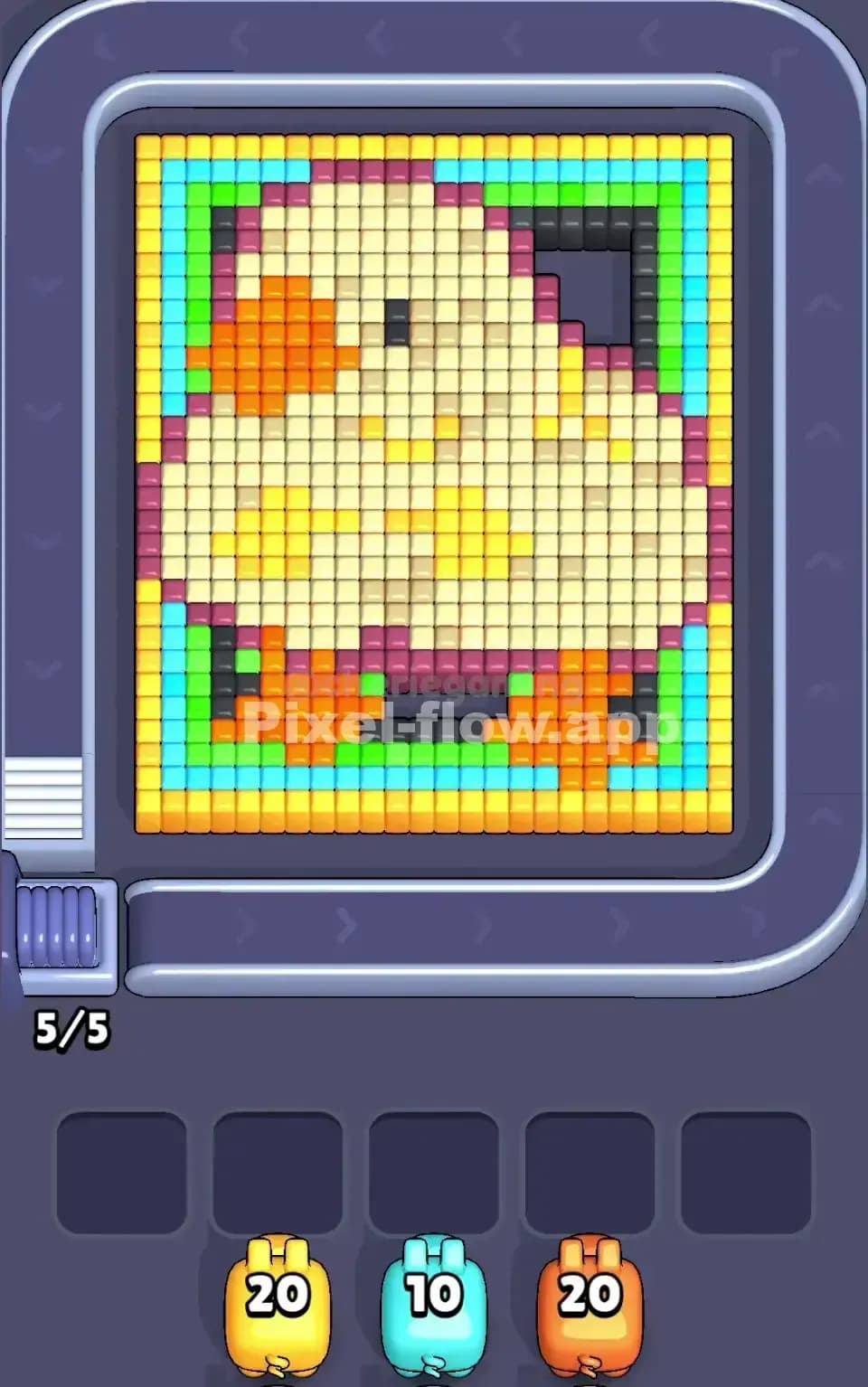


Pixel Flow Level Solution Walkthrough







If you’ve ever stared at a wall of pixel cubes while a smug little pig stares back from the UI, you’ve already felt the pull of Pixel Flow. It looks like a chill one-tap time-killer… right up until a “Very Hard” level eats your last power-up and dangles a juicy “Continue” button in your face. At that point, you either uninstall—or you start actually learning how Pixel Flow works.
This guide is for the second group.

1. What is Pixel Flow and who made it?
Pixel Flow is a fast, hybrid-casual action puzzle on iOS and Android where you send color-coded pigs onto a conveyor belt to blast voxel blocks of matching colors. It’s all about timing your taps, managing a tiny queue, and avoiding a complete buffer jam. The core loop is literally “tap → flow → repeat,” but under the hood it’s a strict logic puzzle about sequencing and resource management.
PixelFlow is developed by Loom Games A.Ş., a Turkish studio based in Istanbul that’s leaned hard into tactile, “satisfying cleanup” puzzle designs in its portfolio. Between aggressive user acquisition and the current obsession with hybrid-casual puzzles, Pixel Flow has pulled in millions of downloads across mobile stores.
So yeah—this isn’t some tiny side project. Pixel Flow is built like a commercial machine… and it plays like a really clever puzzle toy.
2. Is Pixel Flow free to play?
Short answer: yes, Pixel Flow is free to download and free to play.
Longer answer: it’s a classic freemium setup with a monetization layer that shows its teeth once you get into the mid- and late-game.
- You earn gold coins by beating levels.
- You spend those coins on power-ups, continues, and sometimes on extra moves.
- There’s a seasonal Pixel Pass that acts like a battle pass, giving you a premium reward track and daily boosts for a recurring fee.
- You can pay to remove ads entirely, but the PixelFlow price is deliberately on the high side compared to most puzzle games.
From a player’s perspective, Pixel Flow is generous early on and then gets increasingly pushy: user reviews regularly call out levels in the 200+ range that feel practically tuned around using items or paying for continues.
You can play Pixel Flow totally free, but to do that you need to treat it like an actual puzzle game, not a tap-spam toy. The tips later in this guide are exactly for that.
3. Where can I download Pixel Flow?
Pixel Flow is officially available on:
- iOS (Apple App Store) – requires a modern iPhone or iPad and a decent chunk of storage.
- Android (Google Play) – runs on most recent Android devices; again, check the storage footprint before downloading.
When you’re grabbing Pixel Flow, double-check that the publisher is Loom Games A.Ş. so you don’t end up with a random clone or a different “Pixel Flow” entirely—there are a few unrelated apps and even graphics tools with similar names.
4. How Pixel Flow differs from other puzzle games

On the surface, Pixel Flow looks like just another color-matching puzzler. But a few things make it feel distinct once you’re in the loop:
-
Conveyor belt instead of falling pieces You don’t wait for blocks to drop. You actively deploy pigs onto a moving conveyor. That conveyor has a strict capacity—if it’s full, you simply can’t send another pig.
-
Color-locked pigs with ammo Every pig in Pixel Flow has:
- A color (red, blue, green, etc.).
- An ammo value above its head (how many matching cubes it can destroy).
Pigs only hit cubes of their own color. No manual aiming, no cross-color splash. It’s pure sequencing.
-
3D voxel boards with hidden layers You’re not just cleaning a flat grid. Many Pixel Flow levels are 3D stacks where you must strip outer colors to expose the inner core colors, in the right order.
-
Five waiting slots as the real resource The five buffer slots at the bottom are effectively your “lives.” Fill them with pigs that still have ammo, and you’re on the road to a jammed board.
Compared to other sort/jam games, Pixel Flow leans harder into queue management and timing, making it feel closer to a tiny real-time strategy puzzle than a standard match-3.
5. How to play Pixel Flow: mechanics and rules
Here’s the stripped-down version of how Pixel Flow actually works.
5.1 The conveyor and standby queue in Pixel Flow
- Pigs wait “on standby” in a visible queue.
- Tap to send the front pig onto the conveyor.
- While it rides the belt, it automatically fires balls at matching-color cubes within its path.
You can’t spam pigs: the conveyor can only hold so many at once. Trying to brute force Pixel Flow by tapping constantly is how you lose.
5.2 Color and ammo
Each pig follows two simple rules:
- Color rule: A pig of Color X in Pixel Flow only destroys cubes of Color X.
- Ammo rule: Every time the pig destroys a matching cube, its ammo goes down by 1. When ammo hits zero, the pig disappears and frees space.
If a pig runs out of valid targets in Pixel Flow before it runs out of ammo, it can’t leave the field cleanly. That’s where the waiting slots kick in.
5.3 Waiting slots and the lose condition of Pixel Flow
When a pig has leftover ammo but no targets:
- It drops into one of the five waiting slots.
- Later, if you tap again, that pig can re-enter the conveyor to finish its remaining ammo.
You lose in PixelFlow when:
- All 5 waiting slots are filled with pigs that still have ammo and
- Your active pig also can’t spend its ammo, leaving you with no way to clear the blockers without a power-up.
Once you understand that, Pixel Flow stops being “tap pigs randomly” and becomes “manage a very tiny, very angry traffic system.”
6. Power-ups in Pixel Flow and how to use them
Power-ups are the panic buttons in Pixel Flow—but if you pop them randomly, you’re basically lighting premium currency on fire.

Here’s the toolkit:
- Hammer – Deletes a single cube you choose. Great for sniping that one off-color block that’s stopping a pig from emptying its ammo and freeing a waiting slot.
- Bomb – Blows up a small cluster (typically around a 3×3 area), ignoring color rules. Perfect when the board is a rainbow mess and your queue is about to tank.
- Hint – Highlights an optimal move or path, super handy on deep 3D stacks where it’s not obvious which color you should peel first.
- Undo – Rewinds your last action. If you mis-tap and send a pig into a full buffer, Undo is literally run-saving.
- Refresh – Reshuffles or resets the incoming pig order when the queue’s colors are completely misaligned with your board.
Strategically, Pixel Flow rewards players who:
- Use Hammer and Bomb only when a jam is unavoidable.
- Treat Undo as an insurance policy for fat-finger mistakes.
- Save Hint for complex late-game levels, not the early tutorial stages.
Remember: coins are scarce by design in PixelFlow. The economy in Pixel Flow is tuned to push you toward the “Fail Offer” bundles if you lean on power-ups too hard.
7. Why Pixel Flow is so popular
I get why Pixel Flow blew up. It nails a few things puzzle players love:
- Satisfying cleanup – Blasting cubes off a 3D sculpture until it’s perfectly smooth triggers the same brain itch as pressure-washing videos.
- Micro-session friendly – One level of Pixel Flow takes a minute or two, making it perfect for “I’ve got 90 seconds in a queue” gaming.
- Sticky core loop – It’s a dead-simple tap input, but the underlying queue and buffer logic keeps your brain engaged.
- Hybrid-casual meta – Events, passes, and unlocks give you long-term goals beyond just clearing one more level.
There’s definitely a love/hate thing going on—people rave about how good Pixel Flow feels, then rage about difficulty spikes and monetization tricks in the same breath.
8. Tips and tricks for hard levels of Pixel Flow
Once Pixel Flow starts labeling levels as “Hard” or “Very Hard,” you need to switch from instinct to discipline.
Here’s what actually works in PixelFlow:
8.1 Buffer discipline
- Never send a pig if you don’t see at least one target for it.
- Avoid putting pigs in waiting slots with more than 1–2 ammo left unless you know why you’re parking them.
Think of your five waiting slots in Pixel Flow as your real hit points. Blow them on sloppy moves, and the game will eat you.
8.2 Look ahead, not just at the board
- Always check the next pig in the queue before tapping.
- Ask yourself: “If I deploy this pig, do I still have a free slot to stash it later?”
Because Pixel Flow shows you the upcoming pig order, it wants you to plan. Treat it like a tiny Tetris preview window.
8.3 Count ammo like a resource
- If a pig has 5 ammo and you only see 2 matching cubes, that pig is guaranteed to become buffer junk unless you expose more targets.
Before you tap, mentally match ammo to visible cubes. That habit alone will carry you through a ton of late-game Pixel Flow levels without items.
8.4 Level-specific pain points
From community data and walkthrough analysis, the big spikes in Pixel Flow include:
- Level 100 – First big 3D complexity spike. You must peel the outer shell color by color; random tapping just fills the buffer.
- Level 199 – A fixed-sequence “flow challenge” where optimal play basically means following the queue perfectly.
- Level 349 – The infamous “paywall” level where buffering and pig order feel wildly unfair without power-ups.
When Pixel Flow starts feeling impossible, it usually means the level is testing one of these skills: peeling order, perfect sequencing, or buffer discipline.
9. How to beat Pixel Flow levels fast
If you’re chasing fast clears instead of just survival, you have to balance speed with safety.
-
Open with high-impact pigs Early in a level, deploy pigs whose ammo perfectly matches visible cubes. That thins the board and opens new surfaces without clogging the buffer.
-
Play in “rhythm mode” Pixel Flow feels best when you find a rhythm:
- Tap → watch the ammo tick down → queue the next pig right as the previous one exits. You’re not mashing; you’re playing on beat.
-
Reset bad starts early If your first 3–4 pigs end up clogging waiting slots with leftover ammo, just restart. Burning power-ups to salvage a doomed run is how Pixel Flow turns into a frustration engine.
-
Save slow, surgical moves for the end As the board shrinks, you can slow down and play almost turn-based. That’s where you line up perfect clears and avoid last-second jams.
10. Why Pixel Flow level solution walkthroughs matter (and where to find them)
Sometimes Pixel Flow doesn’t just want skill—it wants the specific sequence the designer had in mind. That’s where walkthroughs actually help, and not just as a crutch.
10.1 What walkthroughs really teach
Good Pixel Flow solutions show you:
- How top players manage the buffer without panic.
- Which color layers they peel first on complex 3D boards.
- How they use (or intentionally avoid) power-ups on notorious levels.
Watching even a single Pixel Flow level solution can flip a switch in your brain: you stop seeing chaos and start seeing a queue puzzle.
There are plenty of level videos and full-run uploads out in the wild. But if you want structured, puzzle-gamer-friendly breakdowns instead of random raw footage, that’s where Pixel-Flow.app comes in.
10.2 Why Pixel-Flow.app is worth using
On pixel-flow.app, the focus is on:
- Clear explanations of why a Pixel Flow solution works, not just the tap order.
- Pixel Flow Full Level solution walkthrough you can easily follow.
- Written tips you can skim faster than a 10-minute Pixel Flow video.
In other words: you use Pixel Flow to stress your brain in a good way, and you use pixel-flow.app when the game starts feeling like it’s cheating.